 Klyron
Navigation that adapts.
Controls stay compact on the outer display. On the inner display, a sidebar takes you to activities, projects, reports, and the archive.
Organize your projects, track your work, and see where your time goes. On iPhone, iPad, and Mac — with an experience optimized for iPhone Duo coming soon.
Available for iPhone, iPad, and Mac. Version 1.2.0 for iPhone Duo has been submitted.
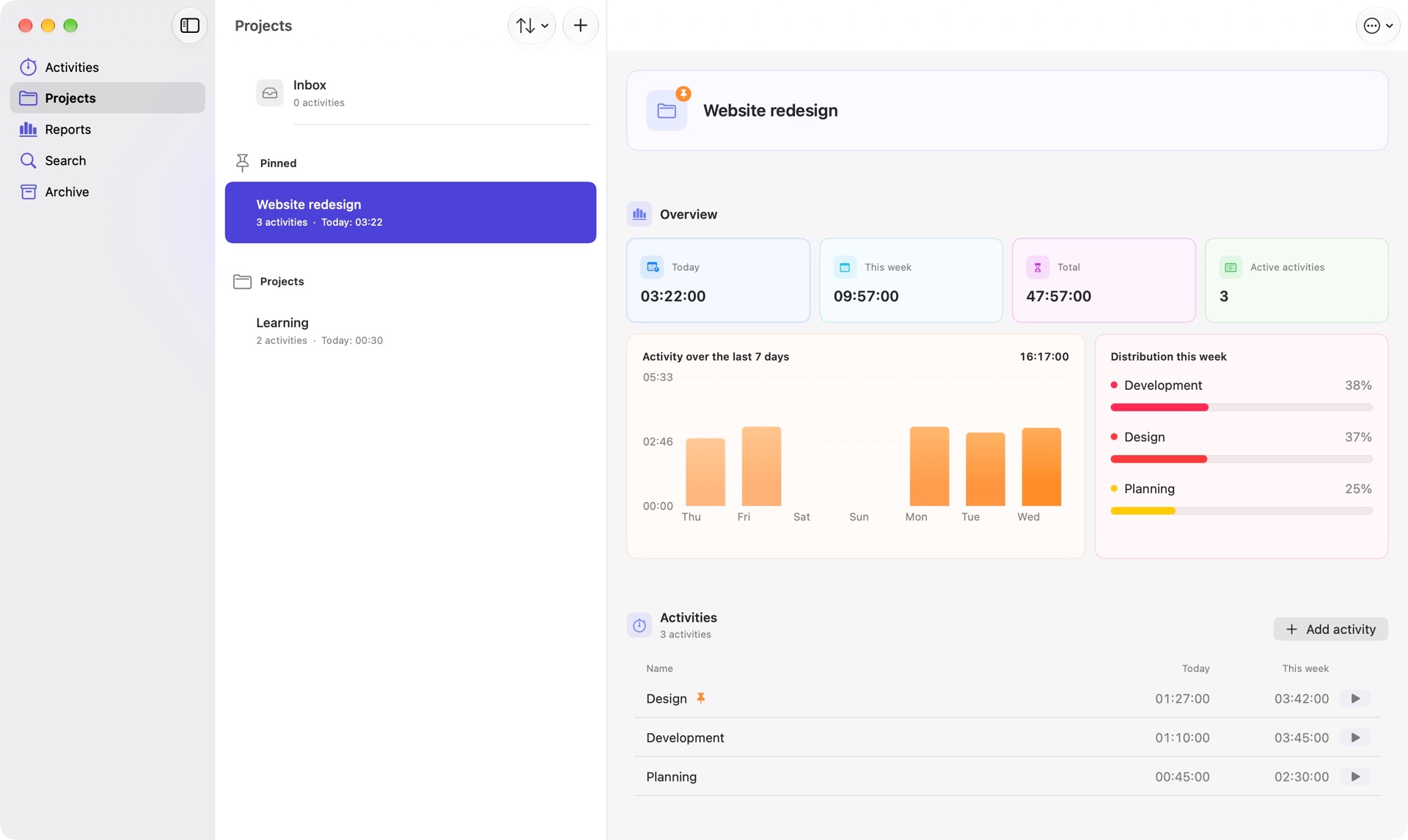
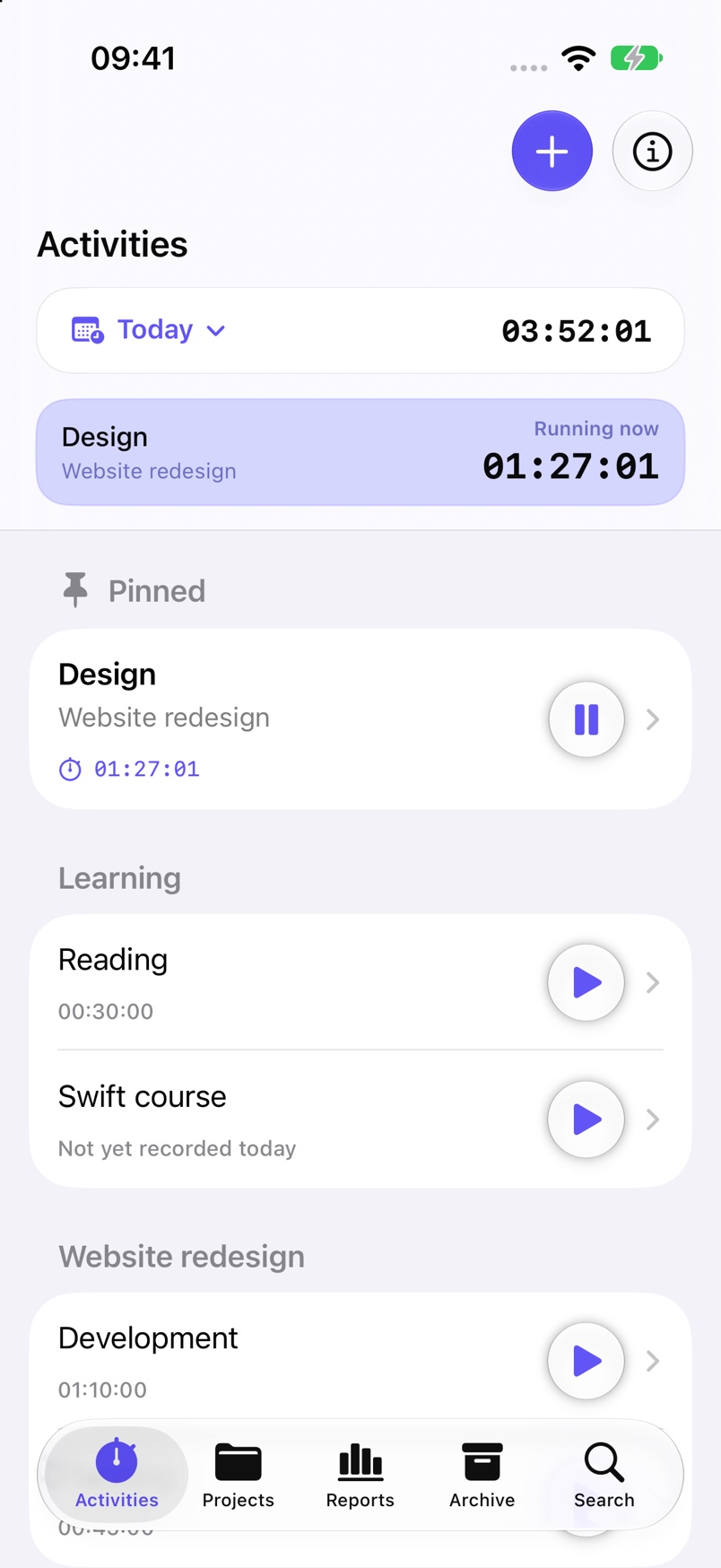
Klyron on iPhone and Mac
Klyron is ready for iPhone Duo. From the compact outer display to the extra room when unfolded, your time tracking adapts to the space available.
Version 1.2.0 has been submitted for review. The optimized version is coming soon.
What’s new in 1.2.0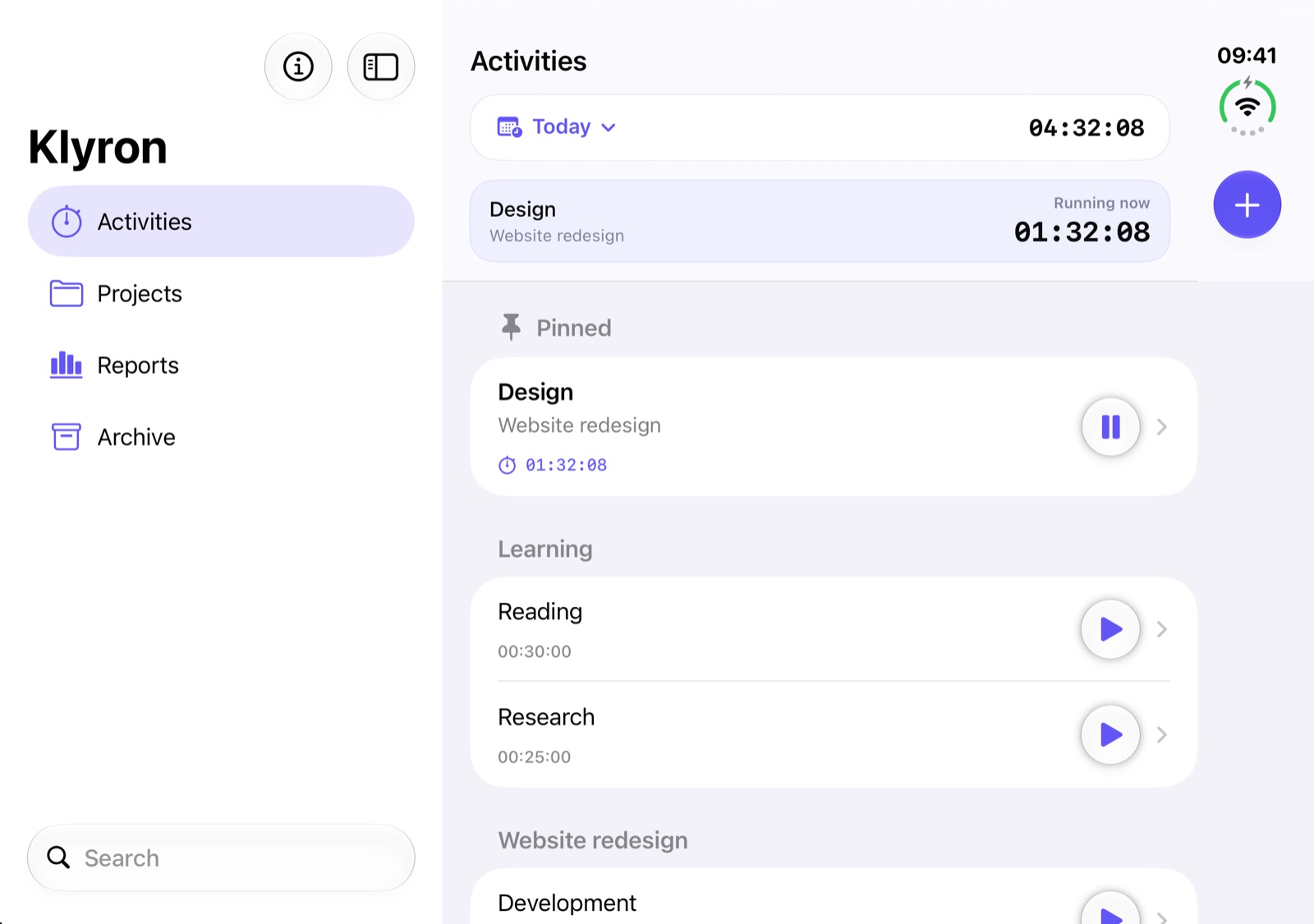
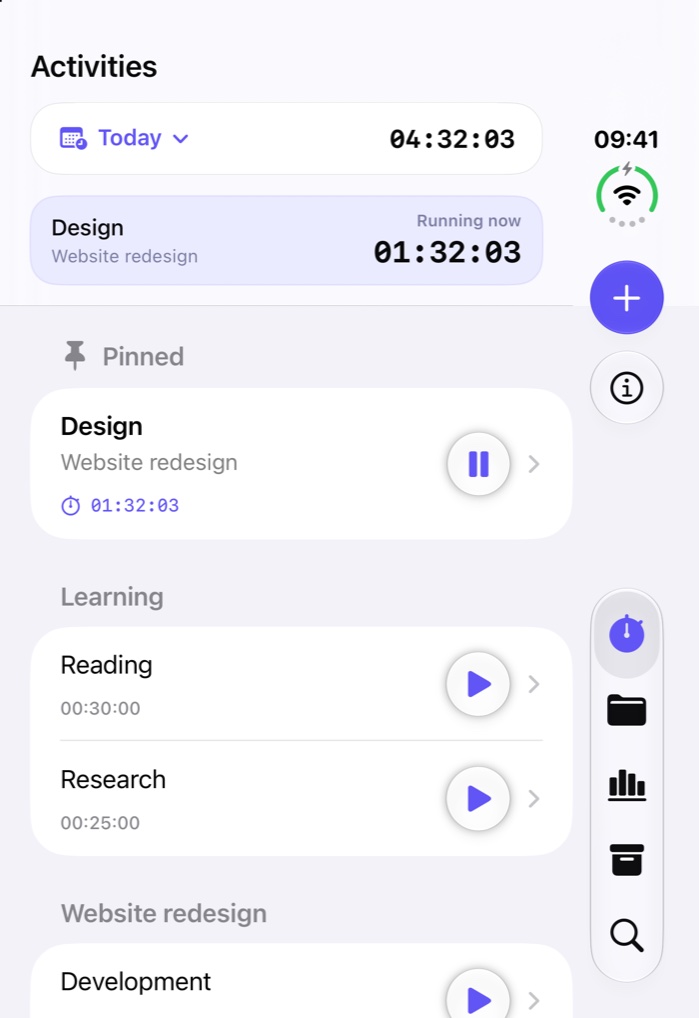
Preview of the submitted version 1.2.0.
Controls stay compact on the outer display. On the inner display, a sidebar takes you to activities, projects, reports, and the archive.
Use the larger display for project overviews and reports. Your familiar features adapt to the space available.
Your selected section, open projects and activities, and search text are preserved as the layout changes.
In 40 seconds: track time, see your projects clearly, and understand your work.
With music · Play when you’re readyMusic created with AI assistance.
The video shows time tracking on iPhone, a project overview, the distribution of working time in the weekly report, and the native Mac app. Klyron is available for iPhone, iPad, and Mac as a one-time purchase without a subscription.
From the first tap to your weekly review, Klyron keeps time tracking straightforward.
Start an activity when you begin your work. Set a timer to remind you after your chosen duration or stop tracking automatically.
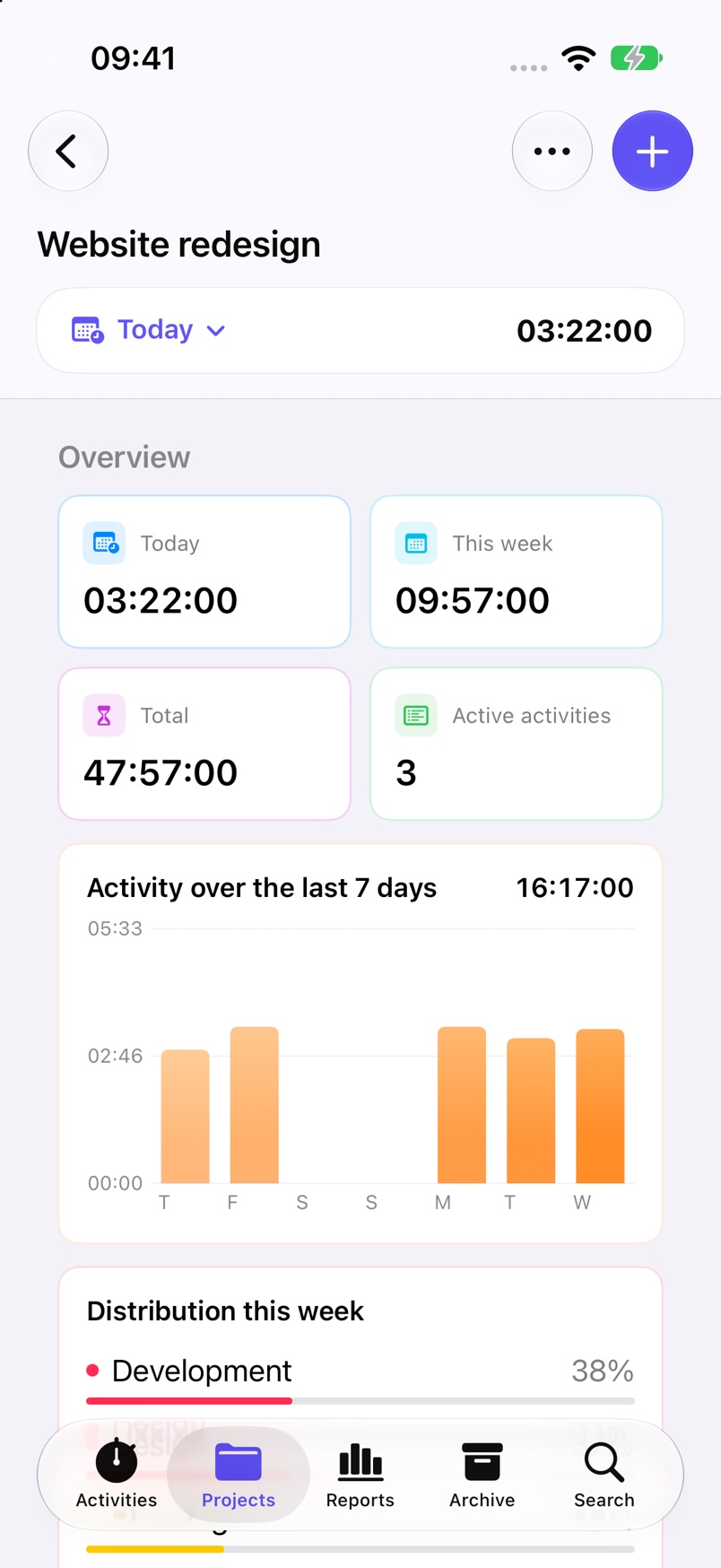
Keep related work together. Your project overview shows tracked time, your weekly activity, and how time is distributed across activities.
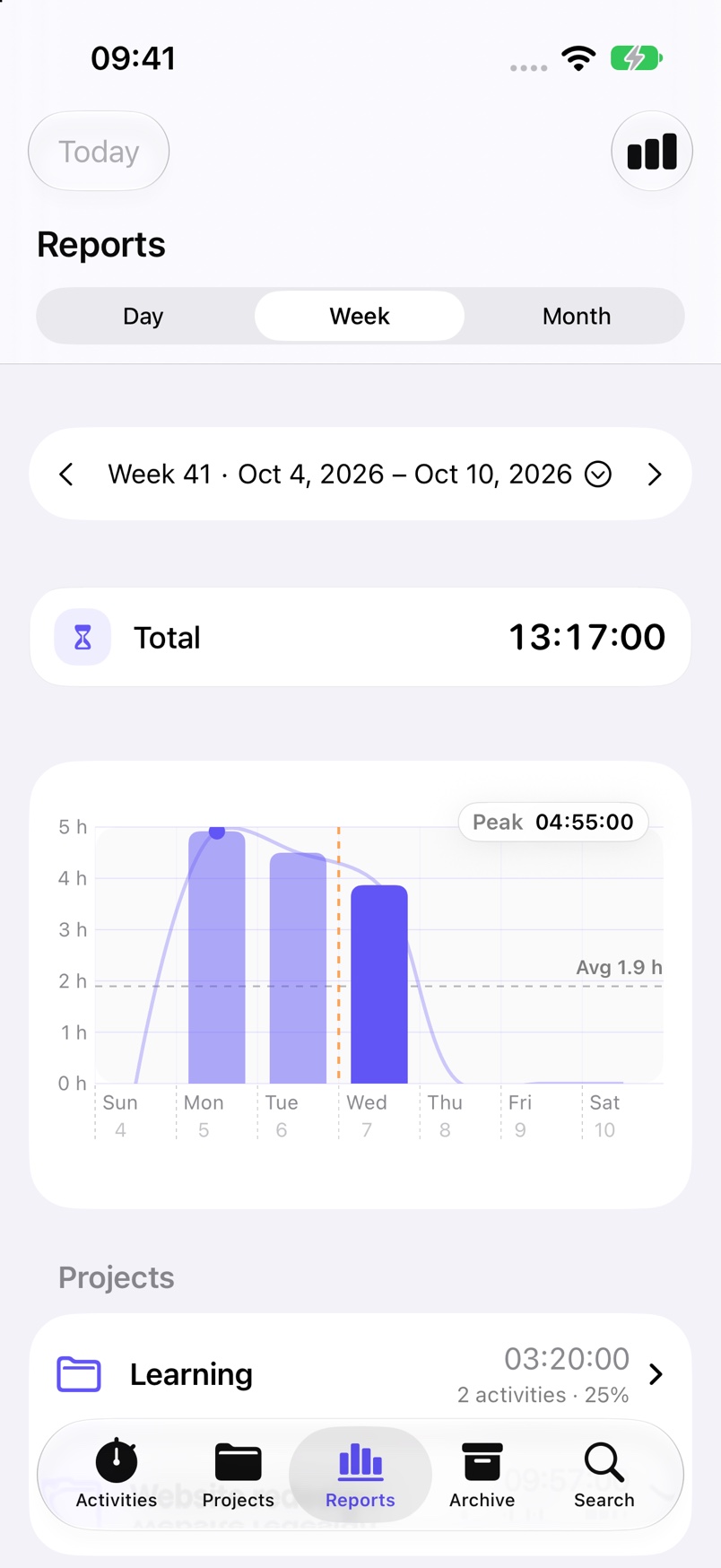
See how you spend your working hours. Daily, weekly, and monthly reports help you understand your own rhythm.
Plan at your desk, track on the go, and keep your work in view. The native Mac app brings your projects, activities, and reports to a spacious interface.
Klyron needs no user account and uses no advertising or tracking services. Projects and time entries are stored on your device. iCloud can synchronize them across your devices.
Read the privacy policySynchronization uses Apple’s iCloud and CloudKit.
Klyron does not create user profiles or use analytics SDKs.
Klyron is a paid app. You can find the current price on the App Store.
Ready for iPhone Duo: version 1.2.0 has been submitted and is coming soon.
Release historyKlyron is available for iPhone and iPad with iOS or iPadOS 26, and for Mac with macOS 26 or later.
Klyron uses iCloud and CloudKit. Your devices need to use the same Apple Account and allow iCloud access for Klyron.
No. Klyron is a paid app without a subscription. The current price is shown on the App Store.
Yes. iPhone, iPad, and Mac share the same App Store listing. You can download Klyron on supported platforms using the same Apple Account without an additional purchase.
Yes. You can add time entries manually and edit existing start and end times.
You can archive projects and activities. They remain available in the archive and can be restored when needed.
Support is ready. Version 1.2.0 has been submitted for review and is coming soon. A release date has not been confirmed.
Get started with Klyron on iPhone, iPad, and Mac.
View on the App Store